Give your AI agents data they can query.
Upload a CSV or connect a Google Sheet. Agents get an MCP server, apps get a REST API, and both answer from the same engine with exact numbers.
Free plan · 100,000 rows per dataset · No card needed · Hosted in the EU
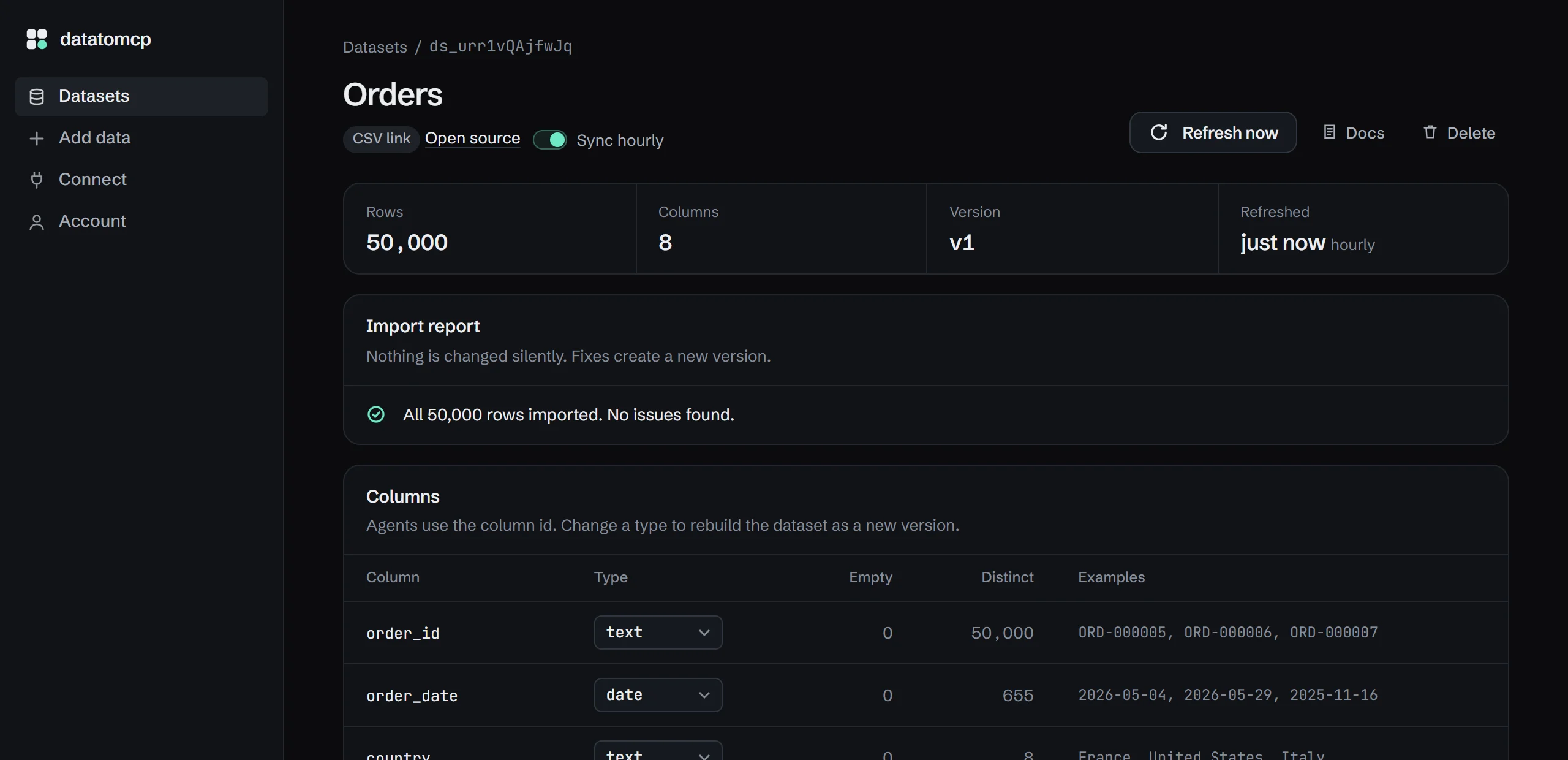
Agents shouldn't read your spreadsheets. They should query them. datatomcp turns a CSV or a Google Sheet into a dataset any agent can filter, group and total, through MCP or a REST API. Every answer says which version of the data it came from.
What your agent sees.
One question, one tool call, one exact answer. The agent never reads the 50,000 rows; it asks for the two numbers it needs and cites the version they came from.
How many orders came from France in September, and what was the revenue?
{ "where": [ { "column": "country", "op": "eq", "value": "France" }, { "column": "order_date", "op": "between", "value": ["2026-09-01", "2026-09-30"] } ], "metrics": [ { "fn": "count", "as": "orders" }, { "fn": "sum", "column": "total", "as": "revenue" } ]}{ "rows": [{ "orders": 277, "revenue": 50279.5 }], "meta": { "dataset_id": "ds_orders", "version": 27, "refreshed_at": "2026-10-19T10:00:04Z", "rows_matched": 1, "truncated": false }}277 orders came from France in September, for €50,279.50 in revenue. orders · v27 · refreshed 10:00
Query it. Don't paste it.
Pasting a spreadsheet into a chat sends every row and still leaves the model to count. With datatomcp the agent sends a query and gets back only the answer, computed by a database.
Same question, same 50,000-row orders file. The result: {"orders":277,"revenue":50279.5}
Messy files get imported, with a report.
Real exports have broken rows, prices stored as text, and three date formats in one column. One bad line shouldn't block the other 490. You see exactly what was found before anything goes live, and nothing changes unless you say so.
amountNumbers stored as text in 1,495 rows, like"$2145"and"2,694.38".Convert to numbersignup_dateThree date formats: 677 ISO, 662 slash, 661 dotted. Day and month may be swapped.Reviewcurrency"EUR"and"eur"differ only by case. Exact filters would miss rows.
Also skipped: lines 132, 195, 263, 292, 389, 394, 486. The other 490 rows are live.
One engine, two doors.
Agents connect through MCP with one URL and a sign-in. Apps and automations use REST with an API key. Same queries, same limits, same results.
{ "name": "aggregate", "arguments": { "dataset_id": "ds_orders", "where": [{ "column": "country", "op": "eq", "value": "France" }], "group_by": ["product"], "metrics": [{ "fn": "sum", "column": "total", "as": "revenue" }], "order_by": [{ "column": "revenue", "dir": "desc" }], "limit": 3 }}curl https://app.datatomcp.com/v1/datasets/ds_orders/query \ -H "Authorization: Bearer dtm_…" \ -d '{ "where": [{ "column": "country", "op": "eq", "value": "France" }], "group_by": ["product"], "metrics": [{ "fn": "sum", "column": "total", "as": "revenue" }], "order_by": [{ "column": "revenue", "dir": "desc" }], "limit": 3 }'{ "rows": [ { "product": "Deluxe Bundle", "revenue": 538933 }, { "product": "Pro Kit", "revenue": 296882 }, { "product": "Gift Card", "revenue": 190650 } ], "meta": { "dataset_id": "ds_orders", "version": 27, "rows_matched": 5, "truncated": true }}- list_datasets
- Every dataset the connected account can read, with row counts and freshness.
- describe_dataset
- Columns, types, example values, data warnings, and today's date.
- query_rows
- Filter, sort, select columns, paginate. Up to 1,000 rows per call.
- aggregate
- Group by any columns. Count, distinct count, sum, average, min, max.
- distinct_values
- The real values in a column, so filters match "France", not "FR".
- GET/v1/datasets
- List datasets
- GET/v1/datasets/:id
- Schema, warnings, freshness
- POST/v1/datasets/:id/query
- Rows or aggregates
- GET/v1/datasets/:id/values/:column
- Distinct values
- POST/v1/datasets/:id/refresh
- Re-sync from the source
Every response says which dataset version it came from, when it was last refreshed, how many rows matched, and whether the result was cut off.
Your sheet changes. The agent keeps up.
Connect a Google Sheet once. Refresh it on demand, or let Pro sync it every hour. Each refresh creates a new version, so a bad edit can be rolled back.
- 09:12
Someone adds 40 rows to Q4 pipeline in Google Sheets
- 10:00
Hourly sync imports version 27: 1,284 rows, no issues
- 10:03
Every connected agent now queries version 27
Simple pricing.
Start free, no card needed. Upgrade in the app when your data or your agents outgrow it, and cancel anytime.
Free
0$0 or €0
- 3 datasets
- 100,000 rows per dataset
- 1,000 queries per day
- Refresh on demand
- MCP server and REST API
Pro
12$12 or €12/month
- 25 datasets
- 2,000,000 rows per dataset
- 50,000 queries per day
- Automatic hourly sync
- MCP server and REST API
Your data stays yours.
- Hosted in the EU
- Datasets, backups and accounts are stored in the European Union.
- No AI processing
- We never send your data to AI providers or use it for training.
- Private by default
- Every request needs a sign-in or an API key. There are no public links.
- Deleted when you say so
- Delete a dataset or your whole account from the app. It's gone immediately, and from backups within 14 days.
Guides
Step by step, for the tools you already use.
- Google Sheets MCP serverHosted, for Claude Code, Cursor and other clients. No Google Cloud setup.
- CSV MCP serverQuery a CSV from Claude, ChatGPT and Cursor without a local server.
- Connect Google Sheets to ClaudePrivate sheets, big tabs and exact totals, as a custom connector.
- CSV to REST APIFilters, sorting and aggregates over HTTP, for apps and automations.
All guides · datatomcp vs csv-api · Google Sheets API alternatives
Questions
Which agents can use it?
Any client that supports remote MCP servers, including Claude, ChatGPT connectors, Cursor and Claude Code. Agents without MCP support, n8n workflows and your own apps use the REST API with an API key. Both return the same results.
Why not paste the CSV into the chat?
That works once, for a small file. It breaks when the file is large, changes every week, or several agents need it. Here the agent asks for the rows and totals it needs, and every agent reads the same, current version.
Can it read private Google Sheets?
Yes. You choose specific sheets in Google's own file picker, and datatomcp gets access to those files only, not the rest of your Drive.
What happens with messy CSVs?
Rows that can't be parsed are listed with their line numbers and the rest of the file is imported. Columns that look numeric or date-like but aren't consistent are flagged, and nothing is converted until you confirm it.
Is my data sent to an AI provider?
No. Your data is stored in the EU and never used for training. The agent you connect receives only the query results it asks for.
How do I connect Claude or ChatGPT?
Copy your MCP URL (https://app.datatomcp.com/mcp) into the app's connector settings, sign in once, and approve access. Claude Code takes one command. The Connect page in the app shows the exact steps for each client.
What happens if I hit a limit?
Nothing breaks silently. You get an email at 80% of your daily queries, agents get a clear error at 100%, and the count resets at midnight UTC. Datasets over the row limit are refused at import with the reason.
Can I cancel Pro?
Yes, anytime from the billing portal. You keep Pro until the end of the period. Back on Free, your datasets stay readable; you just can't add more than the Free limits allow.
Can agents run SQL?
No, on purpose. They get a small set of validated query tools with limits, so a confused agent can't run something slow or unexpected.
Connect your first dataset.
Upload a CSV or pick a Google Sheet, then add one URL to your agent. The free plan needs no card.